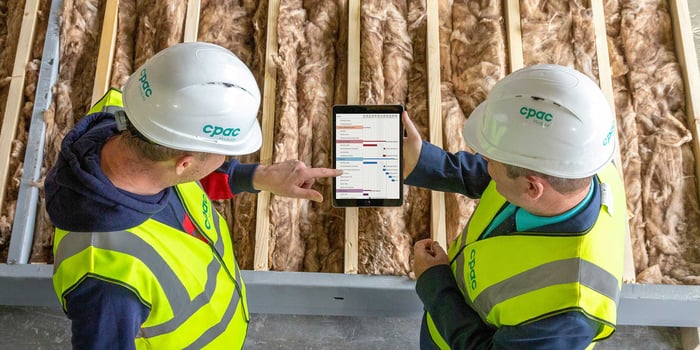
Your schedule probably started in a spreadsheet. A few columns for start and finish dates, some color coding for status, and enough structure that your team could follow it—at least for the first few weeks.
Then the project got real. Submittals came back late. A change order shuffled three weeks of already-sequenced tasks. A trade got stacked on top of work that hadn't finished rough-in. Suddenly, the spreadsheet needed constant manual rework just to stay accurate, and nobody was fully confident it still was.
That breakdown is usually the moment project managers, superintendents, and owners start looking at construction scheduling software. The hard part is knowing what to actually evaluate. Every vendor's homepage promises clarity, visibility, and control. Few of them tell you how to tell a tool with real scheduling logic apart from one that's just a prettier Gantt chart.
This guide is built to answer that. It's a framework for defining your buying problem, scoring vendors against criteria that matter on a real job, and testing tools honestly—before you ever sit through a product demo.
When the Spreadsheet Stops Working for Your Schedule
Spreadsheets aren't the problem on every project. They work fine for early planning, short punch lists, or anything that doesn't need to track logic over time. The trouble starts when a schedule needs to do more than display dates—when it needs to explain why a date moved and what else moves because of it.
Most teams recognize the breaking point when they see it:
- Someone manually shifts twenty rows because one submittal came back a week late, and nobody's fully sure every downstream task got caught.
- Two versions of “THE schedule” are circulating by email, and the field is working off a different one than the office is reporting from.
- A delay claim surfaces, and the file has been overwritten, so there's no clean record of what the schedule actually showed on a given date.
- The superintendent treats the master schedule as a document built for the office, not a plan for coordinating the crew.
If any of that sounds familiar, you're looking at the same signal that pushes most construction teams toward dedicated scheduling software. We've covered that shift — and what it costs to keep forcing a real schedule through spreadsheets—in Why Construction Scheduling Software Beats Spreadsheets Every Time. It's worth reading before your first demo, because it sharpens exactly what you're asking a vendor to fix.
What “Good” Construction Scheduling Software Actually Does
Construction scheduling software manages the logic behind a project timeline—the dependencies between activities, the critical path, how progress updates ripple through the plan, and how the current schedule compares to where you started. The Gantt chart is the visual layer on top of that. The logic underneath it is the part that actually determines whether the schedule holds up.
That distinction matters more than it sounds. Plenty of tools can draw a clean-looking timeline. Fewer can show you, instantly, what happens to the rest of the plan when one activity slips.
If you want a refresher on the core mechanics—activities, dependencies, float, critical path, and more—The Basics of Construction Scheduling: Why Every Project Needs a Plan covers that ground in more detail. This guide picks up from there: not what scheduling logic is, but how to tell whether a piece of software actually has it.
Start With Your Buying Problem, Not the Category
Before you take a single demo, write down the specific problem you're trying to solve. Search “best construction scheduling software” and you'll get a long list of capable-looking platforms. Without a defined buying problem, every one of them will sound like it does everything you need—right up until it doesn't.
The pain point usually isn't identical across the people doing the evaluating:
- A project manager is usually fighting the hours it takes to update the schedule and explain critical-path changes to leadership, owners, and other stakeholders.
- A superintendent cares whether the master schedule turns into something usable for the next three to six weeks on site—not whether it looks good in a client-facing report.
- An owner wants confidence in the completion date being reported, which usually means wanting to understand schedule risk before it becomes a missed milestone.
A useful buying statement names the actual problem: “We need to cut manual update time, make the critical path visible to the GC and owner, and give the field a faster way to confirm progress each week.” That statement becomes your filter for the rest of the evaluation—when a vendor demo wanders into features that don't touch it, that's a sign to redirect, not follow along.
Common Triggers That Push Teams to Evaluate
Most teams start shopping seriously when one of these gets expensive enough to act on:
- Spreadsheet schedules are breaking down under real logic and real change volume.
- Schedule updates eat hours that should go to managing risk instead.
- The field doesn't trust the schedule, because it reads like a reporting document, not a working plan.
- Critical path conversations happen after the delay is already visible, not before.
- Owners are asking for cleaner, more current reporting than the team can produce by hand.
- Growth has exposed that every project team schedules differently, which makes portfolio-level oversight difficult.
The Risk of Getting the Evaluation Wrong
Choosing a scheduling tool is easy to get wrong in ways that don't surface until month three. Picking on price alone usually means paying for it later in manual workarounds. Picking on the best demo often rewards the vendor with the most polished presentation, not the one whose logic holds up under real project complexity. And picking without the field in the room all but guarantees the tool becomes one more reporting obligation instead of something people actually adopt.
None of that shows up as a software problem right away. It shows up as a milestone that slips without warning, a delay claim with no clean documentation behind it, or an owner who's lost confidence in your reporting. By the time it's visible, it's a schedule integrity problem—and it traces straight back to how the evaluation was run.
How to Score Construction Scheduling Software
A good framework keeps the decision from coming down to whoever gave the best presentation. It also gets your PMs, superintendents, and leadership scoring the same criteria, instead of arguing past each other based on different priorities.
Build a Weighted Scorecard
Weight the categories that actually determine whether a schedule holds up on a real job, not just in a demo:
Area of Evaluation |
Suggested Weight |
Capabilities that Count |
|
Schedule logic and critical path |
25% |
Dependencies, float, constraints, baselines, and how clearly the critical path is shown |
|
Field usability |
20% |
Lookaheads, mobile-friendly updates, ease of progress reporting from the field |
|
Milestone and stakeholder reporting |
20% |
Owner-facing views, variance against baseline, how current the reporting actually is |
|
Collaboration and accountability |
15% |
Assignments, permissions, comments, change history |
|
Implementation and support |
10% |
Onboarding, training, migration services, available resources |
|
Commercial fit |
10% |
Pricing model, contract terms, scalability |
Adjust the weights to fit your organization. An owner's representative will usually weight reporting heavier. A general contractor running several active jobs will weight standardization and field adoption heavier. A specialty contractor doing fast-moving sequencing work will weight schedule logic heavier still.
Test Real Scenarios, Not Feature Lists
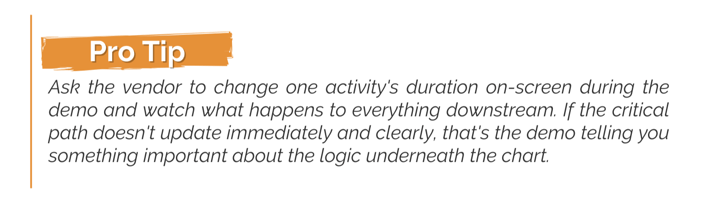
Pick two or three representative projects and bring real scenarios into the demo instead of letting the vendor run a generic script: a late submittal that impacts the sequence of downstream work, a round of trade stacking, a change order that shifts a milestone. Ask the vendor to work through each one live.
Bring the right people into that demo, too. A project manager, a superintendent, and whoever owns executive or owner reporting should all see the same walkthrough. If only one role evaluates the tool, you risk solving one person's problem while creating friction for everyone else.
What to Ask During a Scheduling Software Demo
Take an active part in every software demo you sign up for. Don't just show up; help drive the conversation by asking the questions that really matter.
Use the same questions with every vendor you evaluate. Each one is specific enough to move the conversation beyond a standard slide deck:
Pay close attention to the answers as you're asking the questions. If a vendor can't work through these questions with you live, that's useful information in itself.
A Feature Checklist Built for Construction Teams
Feature checklists get bloated fast, and a long list of nice-sounding capabilities isn't the goal. The goal is a tool that improves schedule quality, cuts manual work, and gives stakeholders real confidence in the plan. Keep the checklist narrowed to logic, field usability, and reporting.
Schedule Logic and Critical Path
At minimum, look for:
- Task dependencies, including finish-start, ASAP, and any other logic your workflows require
- Clear predecessor and successor relationships
- Critical path and near-critical path visibility
- Baseline creation and baseline comparison
- Constraint management
If a platform can't show you why a date moved, the Gantt chart sitting on top of it is decoration. We've gone deeper on why the critical path deserves that scrutiny in What's So Critical about the Schedule's Critical Path?, and on using baselines to track performance over time in Set, Save, & Analyze Construction Schedule Baselines.
Field Usability and Lookaheads
- Three-week, six-week, or custom lookahead views generated from the master schedule—not duplicated into a separate document
- Filtering by trade, area, phase, or responsibility
- Fast, mobile-friendly progress updates from the field
- A clear flag for what changed since the last update
If a superintendent needs a side spreadsheet to run the weekly coordination meeting, the software isn't solving the field-adoption half of the problem—and that half is usually the harder one.
Milestone and Stakeholder Reporting
- Milestone tracking with variance against baseline
- Reporting views built for owners and executives, not just internal schedulers
- A record of what the schedule showed at a given point in time, in case it's ever questioned
Milestone slippage is easy to miss until it's unavoidable. Managing Key Milestones in Construction Schedules covers how to keep that visible before it turns into an uncomfortable conversation with the owner.
✅Build Your Own Checklist
Treat the feature breakdowns above as a starting point, not a universal shopping list. Your requirements should reflect your workflows, projects, and buying problem—not someone else’s definition of the perfect feature set. Before you start comparing platforms, put your requirements down on paper to anchor your evaluation.
For each requirement, define three things:
1. The Function: What should the software do?
Be specific enough that everyone evaluating the tool understands what success looks like.
2. The Priority: How important is it?
Decide whether it's a must-have, an important preference, or an added bonus.
3. The Proof: How will you test it?
This is where you see the capability in action—confirming that it actually delivers instead of simply checking a feature box.
Draft your list before you have your first demo, and keep it focused. Your highest-priority requirements should trace directly back to the problems that caused you to start evaluating scheduling software in the first place.
Implementation Reality: What Determines Whether It Sticks
Even strong scheduling software underperforms without a realistic rollout. Scheduling touches daily behavior—how a PM updates progress, how a superintendent runs the weekly lookahead meeting, how an owner reads a status report—so implementation is a change management effort as much as a technical one.
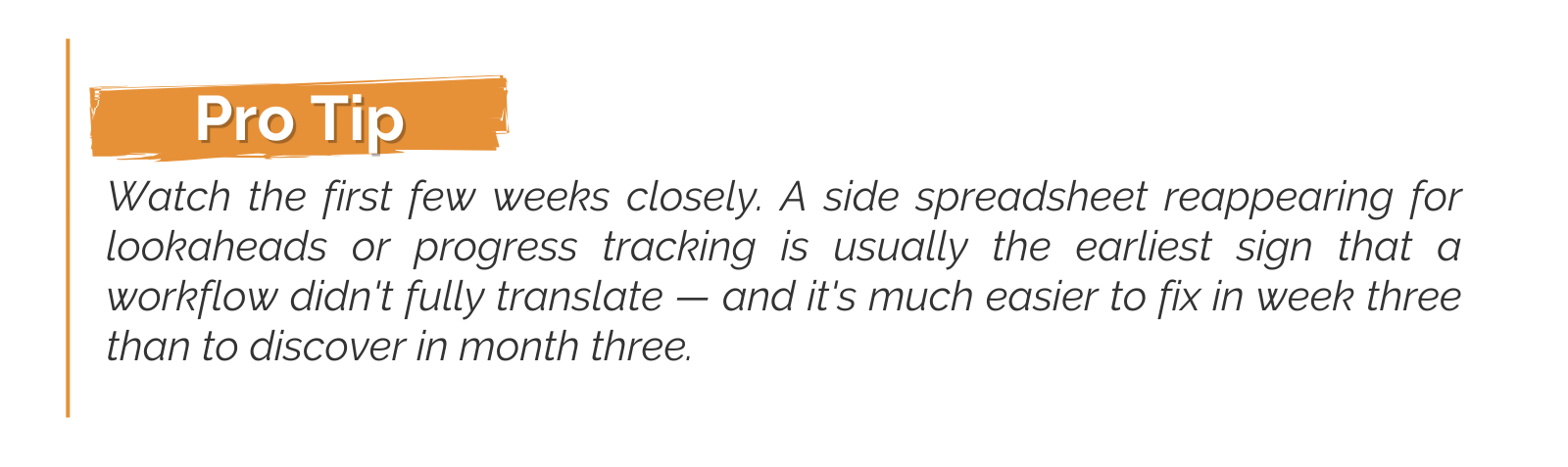
Start with one project team that has real scheduling complexity and is genuinely open to changing its process. Define success before the pilot begins: on-time weekly updates, lookaheads generated without manual rework, milestone variance that's visible without digging.
Train by role instead of running one generic walkthrough for everyone. PMs need depth on logic, baselines, and reporting. Superintendents need speed—fast lookaheads and fast field updates. Owners need a clean read on status and risk, not a tour of configuration screens.
Implementation isn't only what your team does internally—it's also what the vendor actually provides. Before you sign, get clarity on the onboarding and support model, including what migration or data-import assistance is included and whether training is tailored by role.
Ask what help you'll get building templates and standards up front, too—and what support looks like after the initial rollout is complete.
Look Beyond the Subscription Price
A buyer's guide that stops at features and implementation leaves out half the decision. The number on a proposal rarely reflects what a scheduling tool actually costs to run, and comparing subscription price alone is how teams end up with a tool that looks cheap and runs expensive.
Before you sign, get clear answers on:
- Whether pricing is structured per user, per project, or at a company level
- Whether field users, clients, or trade partner accounts require paid seats
- Implementation or onboarding fees separate from the subscription
- Training costs, and whether they're one-time or ongoing
- What's included in standard support versus a premium tier
- Contract length, renewal terms, and what discontinuation looks like
- Who's responsible for migrating your existing schedule data
- What the tool integrates with, and what that costs
- Data ownership, export options, and what access looks like if you cancel
- How the pricing model scales as your team or project count grows
None of this makes a tool cheap or expensive on its own. The point isn't to chase the lowest number. Compare total cost of ownership instead: subscription, implementation, training, integrations, and the manual work the software still leaves your team doing. That's a much more meaningful number than the figure at the top of the proposal.
How OnPlan™ Scheduling Measures Up
Once you know what you're evaluating for, it's worth putting OnPlan™ Scheduling on your shortlist.
Built into ConstructionOnline, OnPlan Scheduling is designed specifically for the scheduling demands of construction projects. As part of ConstructionOnline's integrated project management platform, it offers better, faster, smarter construction schedules that work for any team and any project.
Importantly, we're not asking you to evaluate it by a different standard. Apply the same scorecard you’d use for any other scheduling platform—and look at how the software performs against the criteria that matter most to your team.
Area of Evaluation |
Suggested Weight |
How OnPlan™ Handles It |
|
Schedule logic and critical path |
25% |
- Dynamic Gantt Charts - Task Dependencies—Successors, Predecessors, ASAP - Critical Path Calculations - Baseline Tracking - Schedule Constraints - Automatic Schedule Adjustments |
|
Field usability |
20% |
- Resource Assignments - Automated Task Reminders - Ready-to-Start Notifications - Scheduled GamePlan task lists - Mobile Access - Shared Calendar Aisibility - Agenda View |
|
Milestone and stakeholder reporting |
20% |
- Baseline Reports - Milestone Reports - Status & Completion Reports - Resource-conflict Reports - Project Scorecard - Business Intelligence Dashboards |
|
Collaboration and accountability |
15% |
- Resources Assignments - Workload Thresholds - Shared Project Calendars - Automated Notifications - Shared Project Calendars - Connected Messaging & Chat - Employee Scorecard- |
|
Implementation and support |
10% |
- Account Onboarding - Migration Support - Data Import - On-Demand Tech Support - Template Setup - Workflow Development - Self-Service Implementation Resources |
|
Commercial fit |
10% |
- Specialized subscription plans for Residential, Commercial, Multifamily, & Specialty segments - Scheduling included at base cost with all subscription plans - Unlimited users included with all subscriptions - Permissions-based access for project teams, subcontractors, clients, and stakeholders - Capacity scales by plan—higher tiers add portfolio-level tools and business intelligence capabilities |
The score is still yours to give.
Use the same scenarios, questions, and requirements you’ve applied to every other platform you’re considering. Change a critical-path task and watch what happens downstream. Compare the current schedule against a baseline. Ask how field teams receive and update their work. Look at the reporting an owner or executive would actually see. Put OnPlan Scheduling to the same test we recommend for any vendor, and see how it measures up.
⬇️Take a Closer Look
Download the Scheduling & Calendars ebook to see how ConstructionOnline can help you keep your business, projects, and team on target.

Schedule Logic That Responds to Change
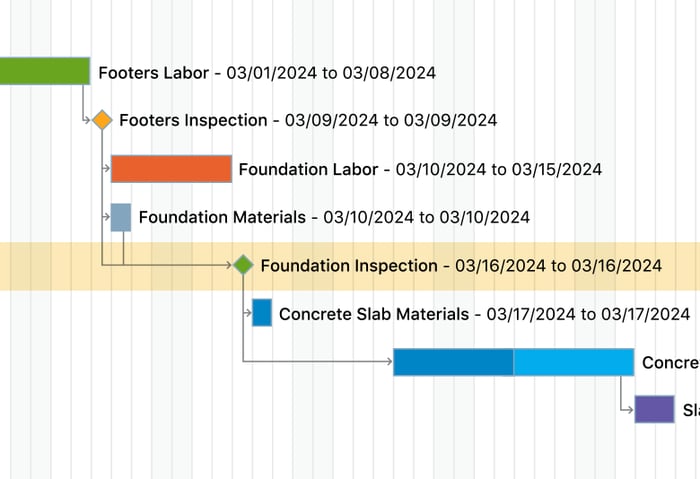
ConstructionOnline's Gantt charts are backed by real scheduling logic, not just a visual timeline. Task dependencies establish how work is connected, while critical path calculations help teams identify the activities that have the greatest impact on project completion. When dates change on related tasks, OnPlan Scheduling recalculates the schedule based on those dependencies, helping teams see the downstream impact without manually shifting every affected activity.
 Baseline Tracking gives teams another point of comparison by capturing planned start dates, end dates, and workdays. As the project moves forward, teams can compare current performance against that original plan and see where tasks are running ahead or behind.
From the Master Schedule to the Field
A schedule only works if the people responsible for the work can actually use it.
Resource Assignments connect subcontractors, suppliers, and crew members directly to scheduled tasks. Automated Task Reminders and Ready-to-Start notifications help keep those resources informed as work approaches and predecessor tasks are completed.
Workload & Conflict Tracking also helps teams spot overlapping assignments before they become a coordination problem in the field.
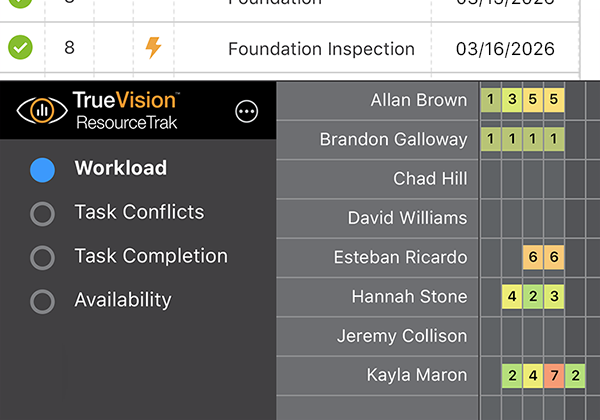 GamePlan™ takes that a step further by turning assigned tasks into personalized work lists that can be emailed on a schedule, viewed on mobile, or printed for the jobsite—helping translate the master schedule into something crews can actually work from.
Visibility Across Projects and Stakeholders
For contractors managing several active jobs, Multi-Project Scheduling provides a portfolio-level view of project schedules and how they overlap. Shared Project Calendars keep milestones and task dates visible across the field and office, with Day, Week, Month, and Agenda views plus Google and Outlook calendar sync.
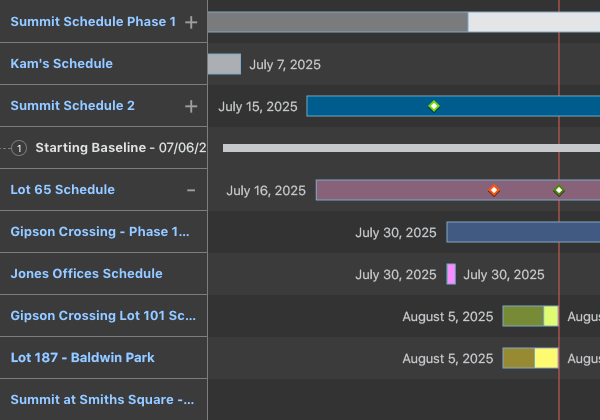 On the reporting side, ConstructionOnline includes schedule reports for baselines, milestones, completion, resource conflicts, and more. For higher-level oversight, the Project Scorecard in TrueVision™ Business Intelligence brings key scheduling metrics—including percent complete, overdue tasks, and workdays behind—into a single project score leadership can review quickly.
✴️See It For Yourself
Connect with us for a live demo to see how OnPlan Scheduling handles your workflow. Bring one of your own challenges—a late submittal, a change order, a trade-stacking conflict—and we'll show you how it works in practice.

Frequently Asked Questions
What should I look for in construction scheduling software?
Prioritize real schedule logic—dependencies, float, critical path, and baselines—over visual polish, then evaluate field usability and stakeholder reporting. A tool that can't explain why a date moved won't solve the problems that pushed you past spreadsheets in the first place.
What's the difference between a Gantt chart and real scheduling software?
A Gantt chart is a visual timeline. Scheduling software manages the logic underneath it—the dependencies, constraints, and critical path that determine how one change affects the rest of the plan. Plenty of tools draw a convincing Gantt chart without doing much of that logic.
How much does construction scheduling software cost?
Pricing varies by user count, project volume, company size, and the implementation or support included. Compare total cost of ownership rather than subscription price alone—a cheaper tool that costs your team hours in manual workarounds isn't actually the cheaper option.
Does construction scheduling software automatically manage the schedule for you?
No. Good scheduling software reduces much of the manual work involved in maintaining dates, dependencies, updates, and reporting, but it doesn't replace the judgment required to sequence work, assess risk, or build a recovery plan. The software should make that expertise more effective—not attempt to substitute for it.