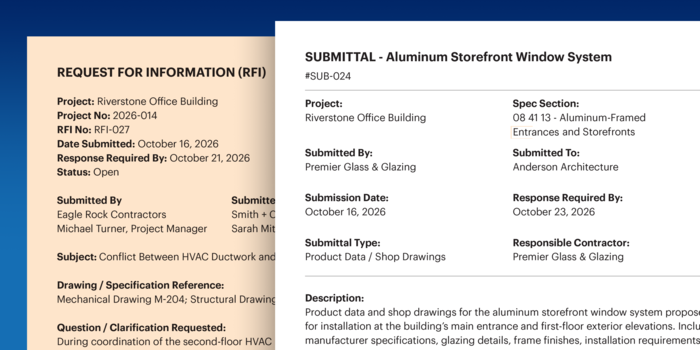
Submittals, transmittals, and RFIs all move critical project information from one party to another—but they serve very different purposes.
A submittal sends materials, products, or project information for review. A transmittal documents what was sent, when, and to whom. An RFI asks for clarification when drawings, specifications, or other project documents leave a question unanswered.
Understanding the difference matters because each one creates a different record, triggers a different workflow, and helps prevent a different kind of project risk.
Here’s how each document works, when to use it, and how the three fit together on a construction project.
What Is a Submittal?
A construction submittal is a formal submission of documents, samples, or mock-ups that show the materials and methods intended for us on a project. Common examples include shop drawings, product specs, material samples, and mock-ups.
Purpose of Submittals
Submittals are important for decision-making. They give project stakeholders—such as architects, engineers, and project owners—an opportunity to review, evaluate, and approve materials and methods before they are purchased and installed.
Submittals play a key role in quality control. They:
- Reduce the risk of costly rework or structural failures by providing crucial checkpoints for evaluation and approval
- Ensure compliance with project specifications by providing the information needed to approve or modify plans
- Help maintain safety standards by giving responsible reviewers an opportunity to verify materials and methods before work proceeds
Real-Life Submittal Example
A construction company is preparing to install a specified curtain wall system on a seven-story hotel. Before fabrication begins, the contractor submits shop drawings, product data, finish samples, and manufacturer information as a submittal to the design team for review.
The architect and engineer compare the proposed system against the project drawings and specifications. If something does not meet the project requirements, the submittal can be revised before the wrong materials are ordered or installed.
FREE Submittal & Log Template
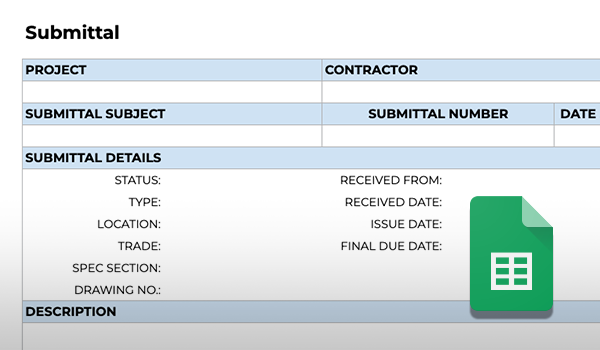
📄Need a simple place to start? Download our free Submittal Tracking template to organize submissions, reviews, and approvals.

What Is a Transmittal?
A construction transmittal is a formal record used to document the delivery of project information or documents from one party to another.
Purpose of Transmittals
Transmittals provide documented proof of delivery. They typically identify what was sent, who sent it, who received it, when it was transmitted, and why it was issued.
Transmittals play a key role in documentation. They:
- Create a documented record that can help resolve questions or disputes about what information was sent and when
- Ensure quick and seamless verification of project information delivery by providing a paper trail
- Fosters accountability among subs and team members by showing exactly who sent (or neglected to send) project information
Real-Life Transmittal Example
A contractor is putting together a shop drawing submittal that needs approval from the architect and structural engineer, but the GC wants to document proof that the information was sent to cover their legal bases.
The contractor creates a transmittal that details the important delivery information, including the relevant project, the type of information being sent for approval, who is sending the submittal, the date it was sent, why it was sent, to whom it’s being sent for approval, and a link to the relevant files and attachments. The shop drawing is the submittal. The transmittal is the record showing that the shop drawing was sent for review.
What Is a Request for Information (RFI)?
A construction Request for Information, or RFI, is a formal written request used to clarify gaps, conflicts, or ambiguities in project plans, specifications, or other contract documents.
Purpose of RFIs
RFIs reduce confusion and provide clarity about task details and specifications. They formalize the process of asking for clarification so there’s no confusion about how to proceed with a task.
RFIs play a key role in communication. They:
- Help to prevent costly mistakes and rework by outlining important details in writing
- Remove the ambiguity and disorganization of asking for information in email threads and text messages
- Create a documented project record by keeping questions and responses in a structured format
Real-Life RFI Example
The framing team for a custom home build is ready to begin building the structural skeleton, but while reading the floor plan drawings, they notice a conflict between the architectural and structural drawings.
To resolve this issue, they request clarification using an RFI by explaining exactly what the conflict is and providing a due date to prevent holding up the schedule. The RFI is routed to the appropriate design professional, who can clarify the conflict, provide a formal response, or request additional information before the framing work proceeds.
FREE RFI & Log Template
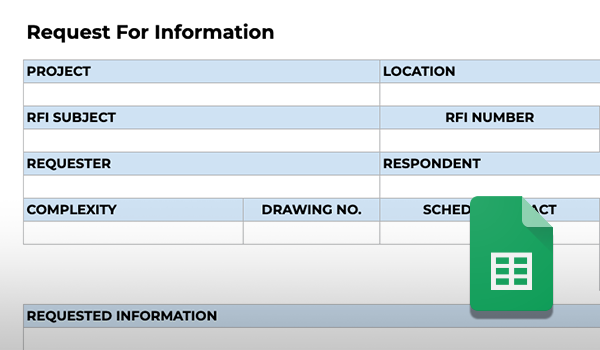
📄Looking for a structured way to track RFIs? Download our free RFI Tracking template to keep questions, responses, due dates, and status organized.

Submittals vs. Transmittals vs. RFIs At a Glance
The simplest way to distinguish the three is by what each one is meant to accomplish:
-
RFIs ask a question.
-
Submittals require review and approval.
-
Transmittals document that information was sent.
|
Submittal |
Transmittal |
RFI |
|
|
Purpose |
Submission for review & approval |
Document that something was sent |
Ask for clarification |
|
Typical content |
Shop drawings, specs, samples |
Sender, recipient, date, purpose |
Question, reference, supporting details |
|
Expected action |
Review, approve, or request revisions |
Record or acknowledge delivery |
Respond or clarify |
|
Simple example |
Window shop drawings |
Record showing those drawings were sent |
Question about conflicting window details |
In practice, here’s a quick reference example that shows how all three documents can work together on a project:
Suppose a subcontractor is preparing a shop drawing for a specified storefront system.
- The submittal contains the shop drawing and product information for review.
- The transmittal documents when that package was sent to the architect and what it included.
- During review, the subcontractor discovers that two details conflict and submits an RFI asking which condition governs.
- Once the question is resolved, the submittal can move forward using the clarified information.
Each record serves a different purpose, but together they create a traceable project history: what was proposed, what was sent, what questions arose, and how they were resolved.
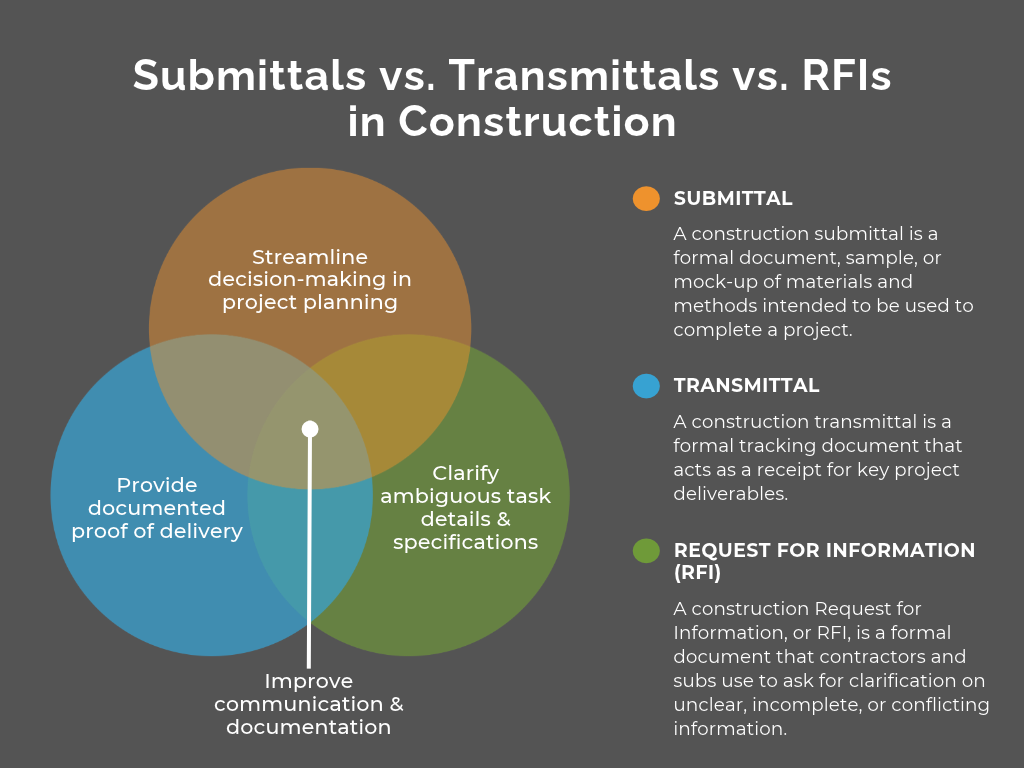
How Submittals, Transmittals, & RFIs Work Together on the Jobsite
Submittals, transmittals, and RFIs work together to streamline communication and centralize documentation of construction projects. While each serves a different function, all three help teams keep decisions, deliveries, questions, and responses organized and traceable.
Numerous studies show that breakdowns in communication and poor documentation are common culprits of wasted time and rework.
A joint study performed by PlanGrid and FMI found that 48% of all rework in the U.S. is caused by poor data and breakdowns in communication and costs over $31 billion annually. This strongly suggests issues like delays, missed updates, and unclear and incomplete documentation do more than waste time–they erode profits and strain relationships.
Owners, contractors, architects, and subs can’t work productively and efficiently when project communication and documentation is misaligned.
When these workflows are inconsistent or poorly managed, teams are more likely to deal with:
- Rework caused by unresolved or misunderstood information when questions are answered informally or not documented at all
- Materials or methods moving forward without the proper review because submittal requirements or approval steps were missed
- Confusion over what was sent, when it was sent, and who received it when project information is exchanged without a clear transmittal record
- Delays while teams search through emails, texts, or disconnected files for the latest response, approval, or supporting documentation
- Disputes that are harder to resolve because there is no complete record of project questions, decisions, and information exchanges
When submittals, transmittals, and RFIs are managed consistently, teams gain:
- Clearer decision-making because proposed materials and methods move through a defined review process
- Faster resolution of project questions because RFIs give teams a formal path for identifying and resolving conflicts or missing information
- More reliable documentation because transmittals establish a record of what project information was issued and when
- Better accountability across project stakeholders because responsibilities, responses, and approvals are easier to trace
- A stronger project record that shows what was proposed, what was communicated, what questions arose, and how they were resolved
The value is cumulative. Better-controlled communication helps reduce avoidable rework, keeps decisions from getting lost between stakeholders, and gives project teams a clearer record to rely on when questions arise later.
Connect Project Communication & Documentation
Submittals, transmittals, and RFIs may serve different purposes, but they all depend on the same thing: keeping the right information organized, accessible, and tied to the project record.
As project volume grows, managing those workflows across spreadsheets, inboxes, shared drives, and individual files makes it harder to see what has been submitted, what has been sent, what still needs a response, and where each item stands.
ConstructionOnline Project Documentation Tools brings submittals, transmittals, RFIs, and other project documentation into one centralized construction management platform—giving teams a more consistent way to track communication, maintain project records, and keep important information from getting lost between stakeholders.